The iQunet monitoring system

From the measurement point to the recorded history. Sensors, local processing and analysis in one connected system.

Three parts. One measurement workflow.

Use the M4 for a local measurement history and browser analysis. Already have a Modbus controller? ModVibe can connect to that system; an M4 is optional for that connection.

Plan a first setup
01

Measure on the machine

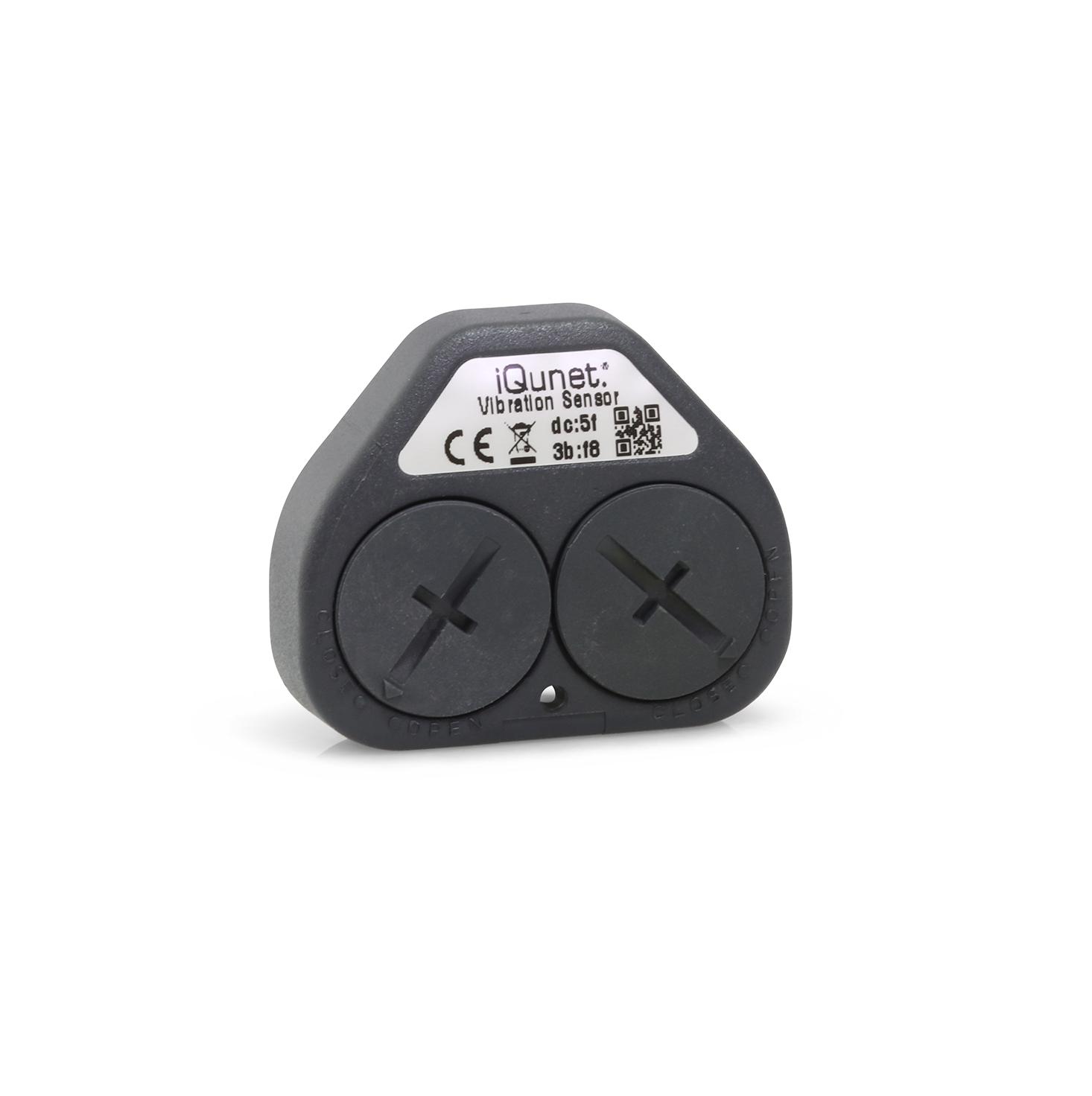
iQunet battery-powered wireless vibration sensorWireless vibration sensor

Sensors & measurements

Capture vibration and current waveforms, or follow power, position and environmental measurements. Choose the sensor around the measurement task.

Compare the sensors
03

Investigate the change

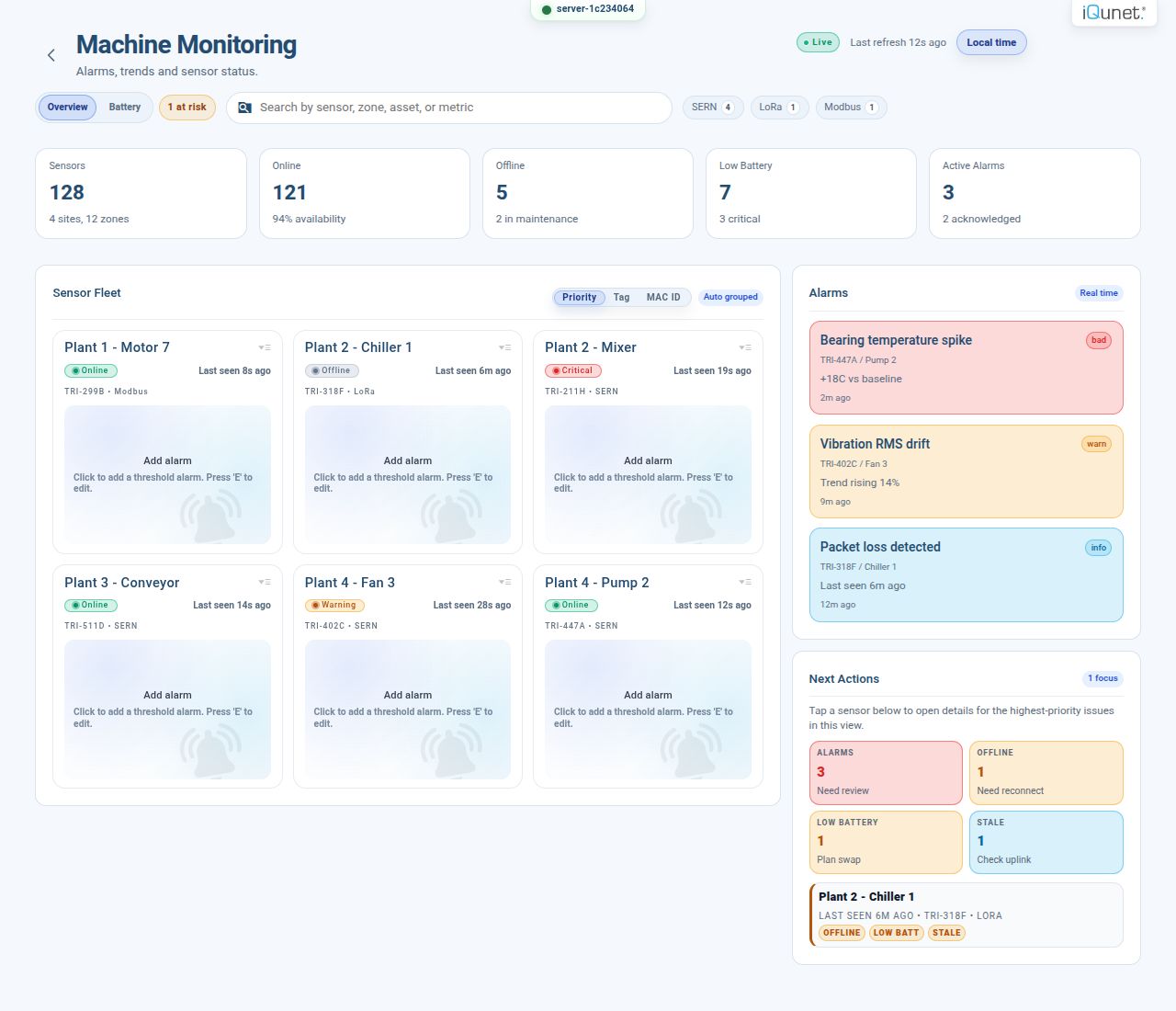
Sensor Alarms interface showing example equipment status and alarmsSensor Alarms interface

Monitoring software

Review equipment status and trends, then open a waveform or spectrum for a closer look. Work in your browser with software running on the M4.

See the software

Start with one measurement point

Battery-powered vibration sensor
Wireless vibration sensor
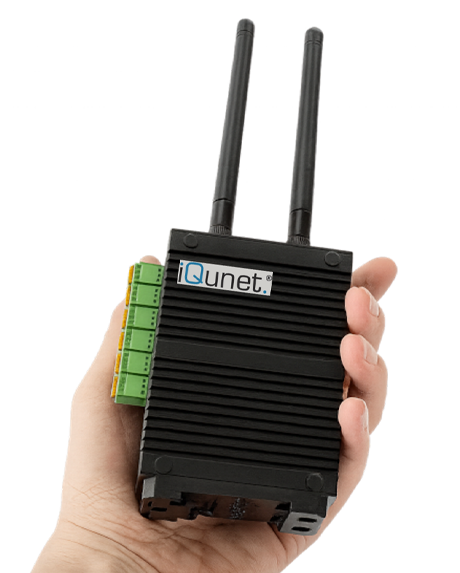
Wireless data
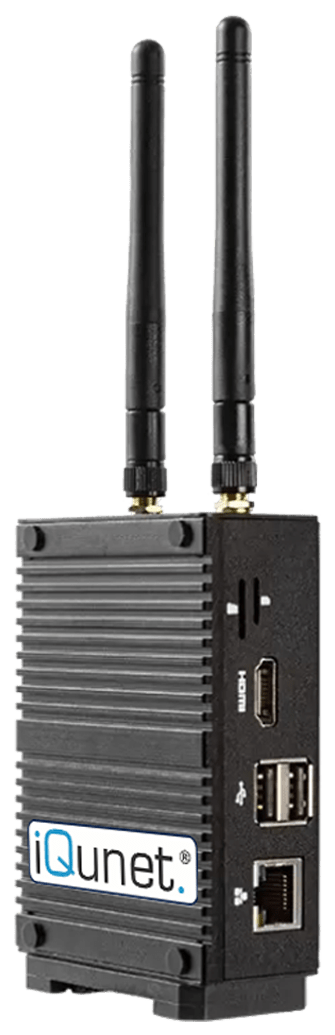
Edge Gateway M4
Edge Gateway M4
Core equipment shown. Mounting and power accessories are included.

Vibration starter pack

From one sensor to a recorded history

Record vibration and temperature at one measurement point. Open the M4’s software in your browser to inspect the waveforms and follow changes over time.

€2,129 EU868 · excluding VAT and shipping

Package contents & installation

Included in the pack

  • M4 with embedded software, power supply, power cables and USB modem.
  • One wireless vibration sensor, mounting magnet, standard batteries and a large battery pack.

Match the setup to your site

Confirm the measurement points, capture settings, operating conditions, radio region, power and access. Agree who mounts the equipment, connects the network and checks the first readings.

Additional sensors, accessories, installation, configuration, integration and anomaly-detection services are scoped separately when needed.

Help with your first installation

Complete the connection

Connect the equipment

Choose the radio or cable interface, power supply and mounting accessories. Bring supported Modbus devices and 4–20 mA or 0–10 V signals into the same system.

Interfaces, mounting & power

Use the data in your own systems

Connect maintenance and engineering software through OPC UA, MQTT and GraphQL. Keep measurements on your infrastructure and make them available where your team works.

Explore the M4 connections

Build around your measurement task

Tell us what you want to measure or understand. You can ask before choosing sensors, interfaces or a gateway.

Ask about your setup
See industrial applications

Explore products

Help me choose a setup

Add sensors or connect the equipment you already have.

Vibration & acquisition

Compare power, data and recording

Start with the available power, cable access and recordings you need.

ModVibe 2.0

Power
External DC supply
Data connection
Wired Modbus RS-485

Waveforms and derived values. Connect to an M4 or a compatible Modbus controller.

Battery-powered vibration

Power
Replaceable batteries
Data connection
Wireless via the radio interface

Scheduled recordings, with the sensor asleep between measurements.

Cable-powered vibration

Power
External DC supply
Data connection
Wireless via the radio interface

Peak mode retains the strongest Z-axis activity in each interval. Instant mode takes a scheduled snapshot.

IEPE sensor & acquisition

Power
IEPE excitation from acquisition hardware
Data connection
Cable to the AD module in a Wireless Sensor Bridge

Single-axis vibration recordings. Specify the sensor, AD module and bridge together.

Wireless sensors and bridges need a compatible radio interface and iQunet gateway. Recording rates and transfer timing depend on the setup; external power does not itself mean continuous streaming.

Movement-triggered recording is also available for intermittent or moving equipment. MAD buffers recordings outside radio coverage and transfers them when the sensor returns within range.

LoRaWAN sensors

Temperature, air conditions and power measurements over a LoRaWAN radio network.

Motor current

Use a drive or record the current waveform?

An existing drive can expose operating values through a supported interface. To investigate a measured current waveform, use a current clamp with its AD module and Wireless Sensor Bridge. Available drive values depend on the model and register map.

Use equipment you already have

More sensors · Motion & position

Choose around the machine

Tell us what you need to measure, how the equipment operates and where it is installed. We’ll help specify the sensor and its connection.

Discuss sensor selection
Hazardous-area sensor enquiries

Wireless vibration sensor IVIB161610-ACC3-EX

The published model is a battery-powered, intrinsically safe sensor for hazardous gas areas. Its listed marking is Ex II 2G Ex-i, ib IIB T4 Gb.

Send us the area classification and installation requirements to confirm the applicable certificate, model and current availability.

Original product photograph for the IVIB161610-ACC3-EX vibration sensor.
Published model specifications
Measurement
Three-axis acceleration, adjustable 2–16 g range, plus temperature. Supplied without calibration.
Recording
Up to 3,200 samples/s and 8,192 samples; listed maximum frequency 1,600 Hz.
Power & enclosure
Two CR2032 batteries, wireless transfer. IP68: 1 m immersion for 1 hour.
Analysis
Time signal, DFT spectrum, kurtosis, waterfall and RMS in the iQunet dashboard, with acceleration and velocity views. Anomaly detection service available.
Discuss this application
iQunet · Engineering enquiries

Ask us a question

Ask about our products or pricing, request a demonstration, or get technical help.

About your question

About: Sensors & measurements

Request type: General question
Prefer email or a call?info@iqunet.com+32 52 86 00 25

We use your details to answer this request. Privacy information (new tab)