
Guides & documents
Connect your gateway, configure a measurement or work with the data. Choose a task to find the instructions and technical examples.
Find your next step
26 results across manuals and technical guides
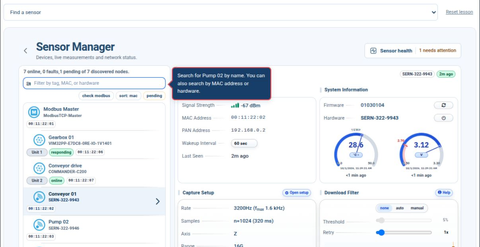

M4 software manual
Follow interactive tutorials for sensors, alarms, vibration analysis, dashboards, network settings and data interfaces.
Software 1.16.5 · Nine interactive chaptersConnect to your gateway
Local access, remote access and network setup.
Connect on your local network
Find your gateway, open the software and verify a first reading through the browser or OPC UA.
Open the dashboard remotely
Use iQunet Connect to reach an authorized gateway through your browser.
Connect over Wi-Fi or the gateway hotspot
Use the gateway hotspot for access when no local network is available.
Set up measurements
Capture settings, wireless links and interpreting readings.
Record your first measurement
Choose a sensor, capture a measurement and inspect the result before setting a schedule.
Filter measurements when machinery is idle
Use a download threshold to keep relevant recordings while reducing unnecessary transfers.
Understand wireless signal strength
Interpret RSSI for the actual radio link rather than comparing unrelated indicators.
Plan battery use and replacement
Measurement frequency, radio quality and sensor settings all affect battery life.
Interpret common measurement questions
Distinguish gravity, temperature lag and recording schedules from equipment faults.
Power quality in industrial compressors
A field example combining three-phase power measurements with detailed current waveforms.
Vibration monitoring in a recycling plant
Part 1 of 3: the installation, sensor placement and measurement choices behind a real monitoring project.
From vibration data to an anomaly score
Part 2 of 3: signal processing, autoencoders and comparison with the equipment’s learned behaviour.
Following bearing damage over time
Part 3 of 3: the original seven-month case, with anomaly trends, RMS comparison and spectral history.
Use your data
CSV, OPC UA, GraphQL, MQTT and programming examples.
Connect your AI workspace with OpenAI MCP
Configure the gateway connection and read real measurements in ChatGPT or Codex.
Export measurements to a spreadsheet
Save a device attribute as CSV for further analysis in Excel or Google Sheets.
Read measurements through OPC UA
Browse the gateway address space and retrieve current or historical values.
Retrieve data and start measurements with GraphQL
Discover devices, retrieve recorded vibration arrays and understand the separate commands that start acquisition.
Use measurements in Python or MATLAB
Choose a protocol or file export that fits your analysis workflow.
Read anomaly model results through OPC UA
Access model trends and alarm levels alongside the sensor data.
Understand measurement timestamps
Keep UTC, browser-local time and OPC UA timestamps distinct.
Modbus to MQTT
Connect a motor drive, publish its measurements and plot the data in Python.
Private LoRaWAN to OPC UA
Connect a temperature sensor to a private LoRaWAN network and read its history through OPC UA.
Maintain your installation
Prepare an update and find the right service information.
Earlier installations
Version-specific connection and software references.
Find earlier connection and reporting guides
Keep documentation for established installations accessible without confusing it with a new setup.
Base station SERN-322-9953 USB recovery
Original USB configuration recovery reference for an existing base station. Confirm the hardware and recovery procedure with support.
Base station SERN-322-9954 USB recovery reference
Original USB configuration recovery reference for an existing base station. Confirm the hardware and recovery procedure with support.