
Drive-as-a-sensor
Use the measurements
your drive already has.
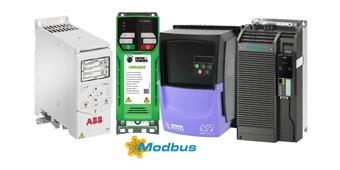
A clearer view of your machine.
Motors keep fans, pumps and conveyors moving. But their operating data often stays inside the machine, out of reach of the people monitoring its condition.
A modern variable-speed drive combines processing power, storage and a communication interface. iQunet uses those built-in capabilities to export measurements for continuous condition monitoring.
Start with the information your drive already provides. It can reduce the need for additional sensors and connectivity, often a barrier when extending monitoring to more machines.
How it works
Watch iQunet turn a drive into a source of machine data: from Modbus parameters to local history and OPC UA / MQTT access.
Original iQunet demonstration with an earlier edge server. Play loads the video from YouTube.
Watch on YouTubePut drive data to work.
Power, load, speed and temperature help describe how a machine is running. Available values depend on the drive model and its integration.
- Power
- Follow power demand through the operating cycle.
- Current
- See how motor current changes with operation.
- Torque
- Add context about the mechanical load.
- Output frequency
- Relate measurements to the drive’s output.
- Motor speed
- Follow rotational speed in RPM.
- IGBT temperature
- Monitor the temperature of the drive’s power stage.
See the full operating cycle.
The iQunet edge server stores exported measurements locally. Follow trends, compare operating periods and bring changes in current or power into context with speed and load.
Combine this history with iQunet’s analysis and embedded AI as part of a wider condition-monitoring setup. The suitable analysis depends on the measurements and installed software.
Explore monitoring and analysisFrom the drive to your data network.
The Edge Gateway M4 brings drive measurements into your monitoring workflow, with local storage and open interfaces for your own tools.
Read the drive
Collect operating values through a supported interface, such as Modbus RTU or TCP.
Keep the history locally
The M4 reads, decodes and stores the measurements for trends and analysis.
Explore the M4Use your data
Access measurements through OPC UA and MQTT. Bring them into your monitoring tools or explore history with the M4’s AI connection.
Explore AI analysis
Monitoring that leaves drive control in place.
The iQunet monitoring integration only reads exported drive parameters. It does not write settings or change the drive’s automation functions. We match the drive model, register map and supported parameters to your installation.
Need the current waveform?
A drive’s current value describes an operating condition. A dedicated current clamp and acquisition module record the waveform for current-signature analysis and its frequency spectrum.
Combine those recordings with drive values such as speed and load for operating context.
Explore current waveform acquisitionDiscuss your drive
Tell us which drive you have and what you want to monitor. We’ll help identify the supported measurements and the integration needed.
A register map or communication manual helps us assess your setup. You can email it separately to info@iqunet.com after sending your enquiry.